AI-generated or AI-modified? Managing media disclosure in Sulu
If an image was generated or modified with AI, where do you record that information and how does it reach the website when disclosure is needed?
Over the past few weeks, we have received several questions from our partners about the EU AI Act, especially regarding the labelling of AI-generated content.
We covered the broader implications of Article 50 for content teams in our recent post, New AI transparency rules: What they mean for content teams using Sulu.ai. The European Commission has since provided further practical guidance through its Code of Practice on Transparency of AI-generated Content and the EU icons for labelling AI-generated content.
There is now a structured way to manage this information directly with the media item. Editors can record whether media is human-created, AI-generated, or AI-modified and configure disclosure information where needed.
The new capabilities are available in both Sulu 3.0 and the maintained 2.6 LTS, so existing projects can introduce them without waiting for a major upgrade.
Record the origin of your media
With the latest Sulu releases 2.6.26 and 3.0.9, a new media field lets content managers define the origin of a media item as “Human-created”, “AI-generated”, “AI-modified”, or the default value “Unknown”.
When the origin is set to “AI-generated” or “AI-modified”, an additional section appears. Here, editors can configure the AI disclosure, add optional explanatory text such as a tooltip, and choose the AI icon to be displayed.
The important distinction is that Sulu stores this information structurally rather than hardcoding an “AI Act label” into the frontend. Your project can decide when, where, and how the information should be presented.
Your frontend decides how to show it
Sulu clearly separates content from presentation, giving template developers full control over how this information is used. The following example shows how to display the EU icons included with the Sulu Media Bundle, so each project does not need to download them separately.
{% set image = content.image %}

{% set description = image.description|default(image.title) %}
{% set originText = ('sulu_media.' ~ image.origin)|trans(domain: 'admin')  %}
{% set showAiDisclosure = image.origin in ['ai_generated', 'ai_modified'] and not image.aiDisclosureDisabled %}
{% if showAiDisclosure %}
     {% set aiDisclosureText = originText ~ (image.aiDisclosureText ? (': ' ~ image.aiDisclosureText) : '') %}
     {% set description = description ~ ' (' ~ aiDisclosureText ~ ')' %}
{% endif %}

<figure>
    <div class="relative w-fit">
        <img src="{{ asset(image.thumbnails['1920x']) }}" alt="{{ description }}">

        {% if showAiDisclosure %}
            {% set aiHintImageVariant = image.aiDisclosureIconVariant == 'auto' ? 'light' : image.aiDisclosureIconVariant %}
            {% set aiHintImage = image.origin|replace({'_': '-'}) ~ '-' ~ aiHintImageVariant ~ '.svg' %}

            <img src="{{ asset('bundles/sulumedia/images/ai-label/' ~ aiHintImage) }}" alt="{{ originText }}" class="absolute h-16 w-auto bottom-0 right-0" />
        {% endif %}
    </div>

    <figcaption class="mt-2">
        {{ description }}
    </figcaption>
</figure>
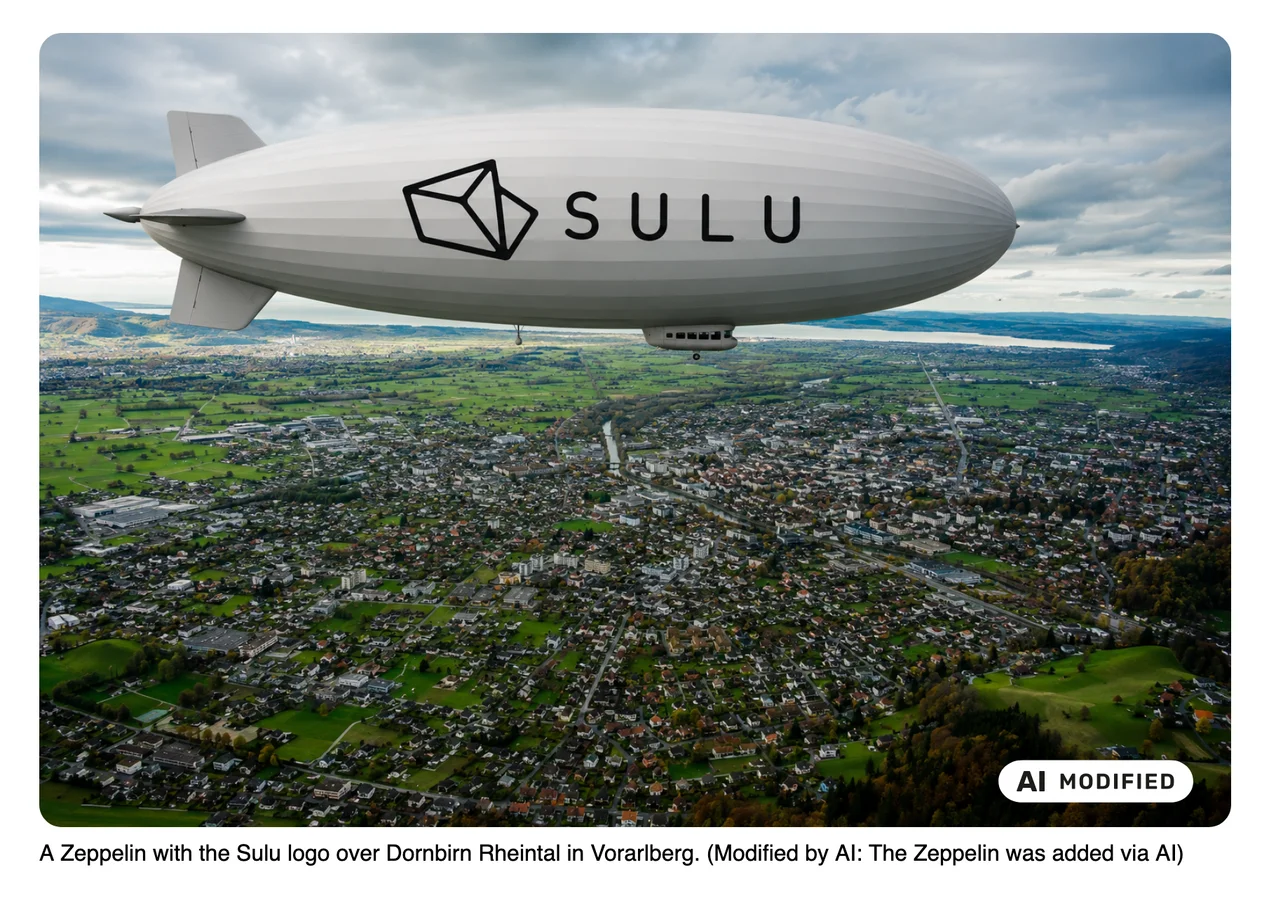
The following image shows an example of an AI-modified image with a disclosure:
A tool for disclosure, not a compliance switch
Sulu provides technical features to help editors add information about AI-generated or AI-modified media, but it does not determine whether a specific media item needs to be labelled or guarantee compliance with the EU AI Act. The responsibility for correct labelling remains with the website operator.
Where required, AI labelling may already be applied directly to the original media asset, such as an image, video, or audio file. To avoid duplicate or misleading labels, Sulu allows editors to disable the additional template-based disclosure when the media is already labelled at the source.
Thanks to partner and contributor
This feature also did not start as an abstract compliance item on our roadmap. It came from the questions and requirements our partners were already working through in real projects.
Special thanks to Levi, a developer at our partner MASSIVE ART, for contributing this feature to the Sulu core. You can find the implementation in the corresponding pull request.
We also want to thank our partner PERSPEQTIVE for testing an early version and providing valuable feedback.
The result is not a project-specific workaround for AI labelling. It is structured media information that every Sulu project can use and adapt to its own disclosure requirements.